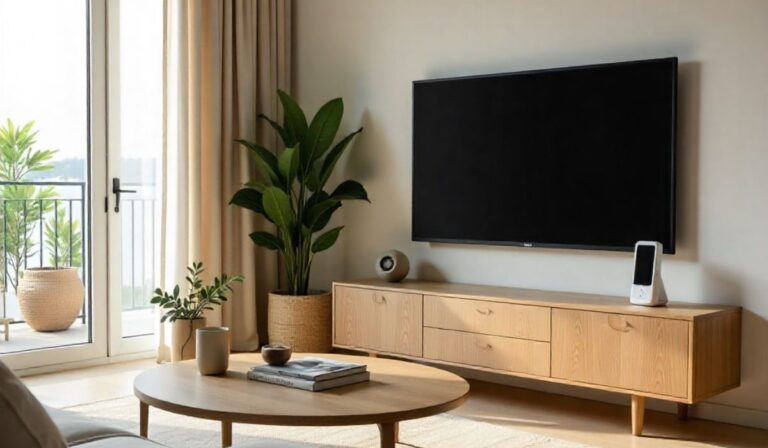
Do Smart Homes Work Without The Internet
Key Takeaways
- Not all smart home features require an internet connection to work.
- Local control allows some devices to communicate directly with each other.
- Certain smart home hubs can create their own networks for offline operation.
- Internet-dependent features, like remote access and voice commands via cloud, stop working without Wi-Fi.
- Understanding device types and their connectivity needs is key to a reliable smart home.
- Simple setup often focuses on Wi-Fi, but more advanced systems offer offline solutions.
Many people wonder, do smart homes work without the internet? It’s a common question, especially when you’re just starting out with smart gadgets. Sometimes, the tech lingo can feel a bit overwhelming.
But don’t worry, it’s simpler than it sounds! We’ll walk through exactly how smart homes function with or without an internet connection, making it easy to grasp.
You’ll learn about the different ways your smart devices can talk to each other and the tricks to keep things running even when your Wi-Fi is down.
![Do Smart Homes Work Without The Internet[1]](https://gigasecurehome.com/wp-content/uploads/2026/01/Do_Smart_Homes_Work_Without_The_Internet1.jpg)
How Smart Homes Connect
The Internet’s Role in Smart Homes
For many smart home devices, the internet is like their main highway. When you want to turn on your smart lights from your phone while you’re at work, or ask your voice assistant to play music, the request has to travel through the internet.
Your phone talks to the smart device’s company server, which then sends the command to your home device.
This is called cloud-based control. It’s super handy because it lets you manage your home from anywhere in the world.
This reliance on the internet means that if your Wi-Fi goes down, many of these functions stop working.
You can’t adjust the thermostat remotely, check your security camera feed, or get your smart speaker to tell you the weather.
It’s like unplugging your phone from the charger – it can still do some things, but its reach is very limited.
Local Control: Talking Without the Internet
However, not all smart home technology depends on the internet. Some devices are designed to talk to each other directly, within your home network. This is often called local control.
Think of it like having a private phone line between devices in your house, rather than needing to call a central operator (the internet) every time.
Technologies like Zigbee and Z-Wave are common for this. Devices that use these protocols connect to a smart home hub, which acts as a translator and manager. The hub then creates its own network, separate from your Wi-Fi.
This means that if your internet connection drops, your smart lights might still be able to turn on or off using commands sent from a physical switch or a remote control that’s also connected to the hub.
Smart Home Hubs: The Brains of the Operation
Smart home hubs are central devices that help manage all your different smart gadgets. Some hubs are built with local control in mind.
They can store settings and run automations (like “turn on the porch light at sunset”) directly on the hub itself, without needing to ask the internet for permission each time.
Examples of hubs that offer strong local control include Homey, Hubitat, and some configurations of Apple’s HomeKit using a HomePod or Apple TV as a home hub.
These devices can become the brain of your smart home, allowing many actions to happen even if your internet is out.
This is a key difference when asking do smart homes work without the internet – the answer is yes, but it depends heavily on the hub and devices you use.
Types of Smart Home Connectivity
To really get a handle on this, it helps to know how devices connect:
- Wi-Fi Devices: These connect directly to your home router. Most of their smart features, especially remote access and voice assistant integration, require internet.
- Zigbee/Z-Wave Devices: These use their own low-power wireless mesh networks. They need a compatible hub to translate their signals to your Wi-Fi or Ethernet network, and then to the internet if needed. Many of these can operate locally via the hub.
- Bluetooth Devices: Used for short-range communication, like smart locks or some smart bulbs. Their functionality without the internet is usually limited to direct control when you are nearby.
- Matter Devices: This is a newer standard aiming to make smart home devices work together more easily, regardless of brand. Matter supports both Wi-Fi and Thread (another local communication protocol), and often relies on a local hub (like a smart speaker or bridge) for control. This technology is designed to improve local control capabilities.
When Internet is Essential
Even with the best local control setup, there are still many smart home functions that rely on an internet connection.
These include:
- Remote Access: Controlling your devices when you’re away from home.
- Voice Assistant Cloud Services: When you speak to Alexa, Google Assistant, or Siri, your voice is sent to the cloud for processing to understand your command and find the right response.
- Software Updates: Smart devices often need internet to download new features or security patches.
- Third-Party Integrations: Connecting your smart home to other online services (like IFTTT or certain smart home apps) requires an internet connection.
- Data Syncing and Backup: Cloud-based systems often sync your device status and settings online.
So, while you can automate lights to turn on and off at specific times using a local hub, you won’t be able to ask your voice assistant “turn on the lights” if the internet is down, unless you have a very specific, advanced setup.
Can Smart Devices Work Offline?
Devices That Often Work Offline
Some smart home devices are designed to function with minimal reliance on the internet, especially when used with a local hub. These often include:
- Smart Lights: Many smart bulbs, especially those using Zigbee or Z-Wave with a compatible hub, can be controlled locally. You can set schedules or scenes that run without internet.
- Smart Plugs: Similar to smart lights, plugs connected to local protocols can manage appliances on/off schedules.
- Smart Thermostats: While remote control and learning features need internet, basic scheduling and temperature adjustments can often be done locally or via a hub.
- Smart Locks: Many smart locks allow you to set access codes and lock/unlock via Bluetooth or a local hub, even without internet.
- Smart Sensors: Motion sensors, door/window sensors, and temperature sensors can trigger local automations through a hub without needing internet.
Devices That Usually Need Internet
On the flip side, these devices are heavily dependent on an internet connection:
- Smart Cameras and Doorbells: Streaming live video, receiving motion alerts, and accessing recorded footage almost always requires internet.
- Smart Speakers (for voice commands): As mentioned, their ability to understand and respond to voice commands is cloud-based.
- Smart TVs and Streaming Devices: While they can play local media, accessing streaming services, app updates, and online features requires internet.
- Smart Appliances (like refrigerators, ovens): Many advanced features, remote diagnostics, and app control for these rely on internet connectivity.
Creating an Offline-Capable Smart Home
If having a smart home that works without internet is important to you, you'll want to focus on building a system with strong local control.
This typically involves:
- Choosing a Smart Home Hub with Local Processing: Look for hubs like Hubitat Elevation, Homey, or certain Home Assistant setups that prioritize local control over cloud dependency.
- Selecting Zigbee or Z-Wave Devices: These protocols are ideal for creating a robust local network.
- Using Matter Devices with a Local Matter Controller: As Matter matures, it will offer more reliable local control options.
- Setting Up Automations Locally: Configure rules and schedules within your hub’s software, ensuring they don’t require cloud access.
This approach gives you peace of mind, knowing that basic functions will continue even if your internet service provider has an outage.
Comparison: Online vs. Offline Smart Home Functionality
To help clarify the differences, here’s a table showing what you can typically expect:
| Feature | Online Smart Home | Offline Smart Home (with local hub) |
|---|---|---|
| Remote Control (from outside the home) | Yes | No |
| Voice Assistant Commands (e.g., “Hey Google, turn on lights”) | Yes | No (unless specific local voice control is implemented) |
| Automations based on time or sensor triggers | Yes | Yes |
| Accessing live camera feeds | Yes | No |
| Receiving push notifications for events (e.g., door opened) | Yes | No |
| Software Updates for devices | Yes | No (unless manually updated via local network) |
| Basic device control within the home network | Yes | Yes |
| Smart home ecosystem integration (e.g., connecting to other cloud services) | Yes | No |
Common Misconceptions
One of the biggest misunderstandings is assuming that because a device is “smart,” it absolutely needs the internet.
While many smart devices leverage the internet for their advanced features, the core functionality of some can operate locally.
For example, a smart bulb might connect to your Wi-Fi, but if you have a hub that can control that bulb directly via a local protocol, you can still turn it on and off using the hub’s app or a paired remote, even if your internet is down.
Another common point of confusion is the role of the smart home hub. People sometimes think that all hubs are just routers for smart devices that still need the internet.
However, hubs like Hubitat are specifically designed to process commands and run automations on the device itself, minimizing or eliminating the need for cloud services for many common tasks.
This is a critical distinction for anyone asking do smart homes work without the internet.
It’s also important to note that different brands have different philosophies. Some brands are entirely cloud-dependent, while others offer a hybrid approach or prioritize local control.
Reading product specifications and reviews can help you identify devices that meet your needs for offline operation.
Maximizing Your Smart Home’s Resilience
If you want to ensure your smart home keeps working smoothly, even during internet outages, consider these tips:
- Prioritize Local Control Devices: When buying new smart devices, look for those that explicitly support Zigbee, Z-Wave, or Matter, and check if they can be controlled by your chosen local hub.
- Invest in a Capable Hub: A smart home hub with strong local processing capabilities is your best bet for offline functionality.
- Set Up Essential Automations Locally: Configure your most important routines (like lighting, security arming/disarming, or temperature control) within your hub’s software so they run independently.
- Have Backup Control Methods: Keep physical switches or remotes for important devices like lights and locks as a failsafe.
- Understand Your Devices: Take the time to learn how each of your smart devices connects and what its capabilities are with and without an internet connection.
By taking these steps, you can build a smart home that offers convenience and automation while also being resilient to internet connectivity issues.
FAQ Of Do Smart Homes Work Without The Internet
Can my smart TV work without the internet?
A smart TV can still display content from sources connected via HDMI or USB, and you can play media from a USB drive. However, you won’t be able to access streaming services (like Netflix or YouTube), browse the internet, or use most of its “smart” features that require an online connection.
Will my smart lights still turn on if the internet is down?
It depends on the type of smart lights and how they are controlled. If they are Wi-Fi bulbs controlled solely through a cloud-based app, they likely won’t work. However, if they use Zigbee or Z-Wave and are connected to a local smart home hub, they can often be controlled locally for on/off functions and scheduled events.
Is a smart home hub necessary for offline smart home control?
For many devices that use protocols like Zigbee or Z-Wave, a compatible smart home hub is essential. The hub acts as the central controller and translator, creating a local network that allows these devices to communicate with each other without needing the internet.
Do all smart home devices become useless without internet?
No, not all smart home devices become useless. Devices designed for local control, often through a smart home hub, can continue to perform many of their functions. However, features that rely on remote access, cloud processing, or online services will stop working.
What is “local control” in smart homes?
Local control means that smart home devices can communicate and execute commands directly with each other or through a local hub within your home network, without needing to send data to the internet and back. This allows many functions to continue operating even when your internet connection is lost.
Final Thoughts
It’s quite clear that the question, do smart homes work without the internet, doesn’t have a simple yes or no answer.
The functionality of your smart home when offline really hinges on the specific devices you have and how they are set up.
Devices that use local communication protocols like Zigbee and Z-Wave, when managed by a smart home hub capable of local processing, can continue to perform essential tasks like turning lights on and off or managing your thermostat.
These systems offer a great deal of independence from your internet connection, providing a reliable baseline of automation.
On the other hand, features that require remote access, cloud-based voice commands, or real-time video streaming will naturally cease to function without an internet connection.
Understanding these differences allows you to make informed choices when setting up or expanding your smart home, ensuring it meets your needs for both convenience and reliability.
By prioritizing devices and hubs that support local control, you can create a smart home that’s both powerful and resilient, offering you peace of mind even when your Wi-Fi is down.
Start by looking into smart hubs that are known for their offline capabilities, and select devices that integrate well with them for the most robust experience.
![How Colour And Light Placement Affect Night Time Visibility[1]](https://gigasecurehome.com/wp-content/uploads/2025/11/How_Colour_And_Light_Placement_Affect_Night-Time_Visibility1-768x448.jpg)
![10 Automations to Preheat Pre cool Based on Weather Forecast[1]](https://gigasecurehome.com/wp-content/uploads/2025/10/10_Automations_to_Preheat_Pre-cool_Based_on_Weather_Forecast1-768x448.jpg)
![10 Automation Scenes for Movie Nights Romance Relaxation Ideas[1]](https://gigasecurehome.com/wp-content/uploads/2025/10/10_Automation_Scenes_for_Movie_Nights_Romance_Relaxation_Ideas1-768x448.jpg)