Smart Home Solutions That Don’T Require Drilling
Key Takeaways
- Many smart home devices work wirelessly and don’t need screws or wires.
- Smart plugs are a super easy way to make regular lamps and appliances smart.
- Wireless security cameras and doorbells offer protection without installation hassle.
- Smart lighting, like bulbs or strips, can often be installed by just screwing them in.
- Voice assistants can control many devices through simple commands.
- Battery-powered sensors are great for adding smart features to windows and doors.
Setting up a smart home often sounds like a big project, especially if you’re not keen on drilling holes in your walls.
Many beginners worry that getting smart tech means hiring someone or making permanent changes. But the truth is, there are many easy Smart home solutions that don’t require drilling.
You can start making your home smarter without any fuss. This guide will show you how to do it step-by-step. Get ready to see how simple it can be to bring convenience into your home.
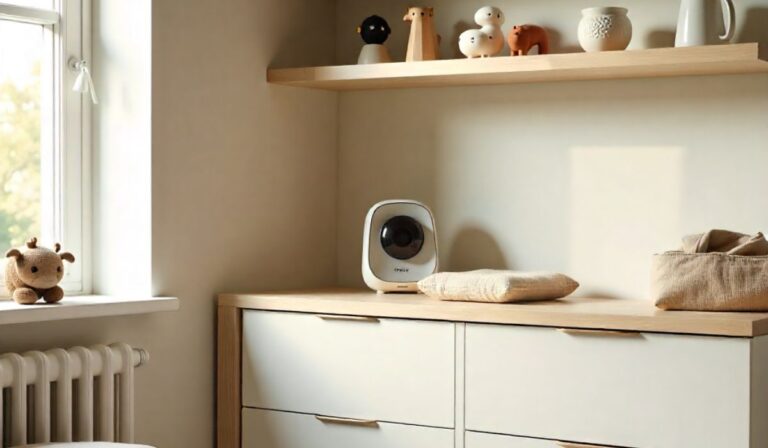
![Smart Home Solutions That Don’T Require Drilling[1]](https://gigasecurehome.com/wp-content/uploads/2026/01/Smart_Home_Solutions_That_DonT_Require_Drilling1.jpg)
Making Your Home Smarter Without the Hammer
It’s easy to think of smart homes as complicated systems requiring a lot of setup. But for most people, the goal is simply convenience and ease of use.
The idea of drilling holes can be a major roadblock, especially for renters or those who prefer not to alter their living space.
Fortunately, the market for Smart home solutions that don’t require drilling has exploded, offering plenty of user-friendly options.
You don’t need to be a tech expert or a DIY pro to get started. Many devices are designed for simple plug-and-play or peel-and-stick installation.
Smart Plugs: The Easiest Entry Point
If you’re looking for the simplest way to start your smart home, smart plugs are your best friend. These little gadgets turn any regular appliance or lamp into a smart one.
You plug the smart plug into a standard wall outlet, then plug your device (like a coffee maker, fan, or lamp) into the smart plug. The magic happens through an app on your phone or by using a voice assistant.
How Smart Plugs Work
Most smart plugs connect to your home’s Wi-Fi network. Once connected, you can control them using a smartphone app.
This means you can turn devices on or off remotely, even when you’re not home. For example, you could turn on a fan before you get home on a hot day, or turn off a curling iron you forgot about from your office.
Scheduling and Automation
Beyond remote control, smart plugs allow you to set schedules. You can set a lamp to turn on at sunset and off at sunrise, or schedule your coffee maker to start brewing just before you wake up.
This adds convenience and can even help save energy by ensuring devices aren’t left on unnecessarily.
Voice Control Integration
Many smart plugs work seamlessly with voice assistants like Amazon Alexa, Google Assistant, or Apple’s Siri.
This means you can simply say, “Alexa, turn on the living room lamp,” or “Hey Google, switch off the fan,” without needing to pull out your phone.
Smart Lighting: Bright Ideas for Your Home
Lighting is a big part of any home’s atmosphere, and making it smart is surprisingly simple and often requires no drilling. You can
Smart Bulbs
Smart bulbs screw into your existing light fixtures just like regular bulbs. Once installed, they connect to your Wi-Fi or a smart home hub. You can then control them through an app or voice commands.
Controlling Your Lights
With smart bulbs, you can dim the lights, change their color (on many models), and turn them on or off remotely.
This is perfect for setting the mood for movie nights, creating a welcoming ambiance when you arrive home, or ensuring lights are off when you leave.
Scheduling and Scenes
Similar to smart plugs, you can schedule your smart lights. Imagine waking up to a gradually brightening light, simulating a sunrise.
You can also create custom “scenes,” like a “Movie Night” scene that dims the lights and a “Reading” scene that provides brighter, focused light.
Smart Light Strips
These flexible strips of LED lights are often self-adhesive, making them easy to stick under cabinets, behind TVs, or along baseboards.
They add accent lighting and can be controlled just like smart bulbs, offering a pop of color and customizable ambiance without any wiring or drilling.
Wireless Security and Monitoring
Keeping your home safe is a top priority, and thankfully, modern security systems don’t require complex installations. Wireless cameras, doorbells, and sensors are designed for easy, non-invasive setup.
Wireless Security Cameras
These cameras often run on batteries or can be plugged into a nearby outlet. Many can be mounted using adhesive strips or simple brackets that don’t require drilling into walls.
They connect to your Wi-Fi, allowing you to view live feeds, receive motion alerts, and sometimes even communicate through the camera via your smartphone.
Smart Doorbells
Many video doorbells are battery-powered or can connect to your existing doorbell wiring without needing new cable runs.
They allow you to see and speak to visitors at your door from anywhere using your phone, adding a layer of security and convenience.
Window and Door Sensors
These small, battery-powered sensors stick onto your windows and doors. When the window or door is opened, the sensor sends an alert to your phone. They are incredibly discreet and easy to install, providing peace of mind without any drilling.
Smart Thermostats: Comfort Without the Construction
While some smart thermostats might require wiring, many newer models offer battery-powered or plug-in options, or are designed to work with existing low-voltage wiring that doesn’t involve drilling.
Easy Installation Options
Look for models specifically designed for DIY installation. Some might come with adapters to connect to your existing system without needing to run new wires through walls. Others might be powered by rechargeable batteries that you can easily swap out.
Energy Savings and Convenience
Once installed, smart thermostats learn your habits and can adjust the temperature to save energy when you’re away.
You can also control them remotely, so you can warm up or cool down your home before you arrive.
Voice Assistants: The Command Center
Devices like Amazon Echo (Alexa) and Google Nest (Google Assistant) act as the central hub for many smart homes. They don’t require any installation beyond plugging them in and connecting them to your Wi-Fi.
Controlling Your Devices
These assistants allow you to control all your compatible smart devices with just your voice. This includes turning lights on and off, adjusting thermostats, playing music, and getting information.
Setting Up Routines
You can create “routines” or “automations” that trigger multiple actions with a single command. For example, a “Good Morning” routine could turn on your lights, start your coffee maker (via a smart plug), and tell you the weather.
Smart Locks: Keyless Entry, Simple Installation
While some smart locks require replacing your deadbolt and might involve some screws, many newer models are designed for easier installation. Look for options that don’t require significant modifications to your door.
Keyless Convenience
With a smart lock, you can enter your home using a code, your smartphone, or even your voice. This is great for family members, pet sitters, or letting in a delivery person without giving out a physical key.
Remote Access and Monitoring
Many smart locks allow you to lock or unlock your door remotely and track who enters and when. This adds a significant layer of security and convenience.
Smart Home Hubs (Optional but Helpful)
While many smart devices connect directly to your Wi-Fi, a smart home hub can sometimes simplify management and allow devices that use different wireless protocols to communicate.
Centralized Control
A hub can act as a central point for all your smart devices. This can make it easier to manage them and create more complex automations.
Compatibility
Some hubs are designed to work with a wide range of devices and protocols, ensuring your chosen gadgets can all speak the same language. Many hubs are plug-and-play, requiring only a Wi-Fi connection.
Understanding Connectivity: Wi-Fi, Bluetooth, and Zigbee/Z-Wave
When choosing Smart home solutions that don’t require drilling, it’s helpful to know a little about how they connect.
* Wi-Fi: Most devices connect directly to your home’s Wi-Fi network. This is convenient as you likely already have it set up. Ensure your Wi-Fi signal is strong enough in the areas where you plan to place devices.
* Bluetooth: Some devices use Bluetooth for initial setup or direct control over short distances. They often connect to your phone or a hub.
* Zigbee and Z-Wave: These are low-power wireless protocols designed specifically for smart home devices. They often require a compatible hub to connect to your Wi-Fi network, but they create a robust mesh network that can extend the range of your smart home devices. Devices using these protocols are usually battery-powered and very energy efficient.
Here’s a quick look at how different types of devices typically connect:
| Device Type | Common Connection Methods | Drilling Required? |
|---|---|---|
| Smart Plugs | Wi-Fi | No |
| Smart Bulbs | Wi-Fi, Zigbee, Z-Wave | No |
| Wireless Security Cameras | Wi-Fi (often battery-powered) | Usually No (depends on mounting) |
| Smart Doorbells | Wi-Fi (often battery-powered or uses existing wiring) | Usually No |
| Window/Door Sensors | Zigbee, Z-Wave, Wi-Fi (battery-powered) | No |
| Smart Thermostats | Wi-Fi (can use existing wiring or battery) | Sometimes (check model) |
| Voice Assistants | Wi-Fi | No |
| Smart Locks | Wi-Fi, Bluetooth, Zigbee, Z-Wave | Sometimes (check model) |
FAQ Of Smart Home Solutions That Don’T Require Drilling
Do I need a strong Wi-Fi signal for all smart home devices?
Yes, most Wi-Fi-based smart devices require a good, stable Wi-Fi signal to work correctly. Devices that use Zigbee or Z-Wave might need a hub, but they create their own network, which can be more reliable in areas with weak Wi-Fi.
Can I control smart devices when I’m not at home?
Absolutely! As long as the devices are connected to your home’s Wi-Fi and your phone has an internet connection, you can control them remotely through their respective apps.
Are battery-powered smart devices reliable?
Yes, battery-powered devices like sensors, cameras, and some doorbells are very reliable and designed to last for months or even a year or more on a single set of batteries. You’ll usually get a notification when the battery is running low.
Will I need a separate app for every smart device?
You’ll typically use a separate app for each brand of smart device. However, many devices can be linked to voice assistants like Alexa or Google Assistant, allowing you to control them all from one place using voice commands.
What if my Wi-Fi goes down?
If your Wi-Fi goes down, most smart devices will stop working remotely and may lose their scheduled functions. Some devices might still be controllable locally via Bluetooth or a hub if it’s still operational, but remote access will be lost until your internet is back up.
Final Thoughts
As you can see, building a smarter home doesn’t have to involve complicated installations or damaging your property.
The variety of Smart home solutions that don’t require drilling means you can pick and choose what works best for you. Starting with simple items like smart plugs or bulbs is a fantastic way to dip your toes in.
You can easily automate lights, control appliances from afar, and even enhance your home security without needing a toolbox.
Focus on devices that connect via Wi-Fi, use adhesive mounts, or run on batteries. Remember that voice assistants can tie many of these simple devices together, making your daily routines smoother.
Don’t hesitate to experiment with a few gadgets; you might be surprised at how quickly you can make your home more convenient and comfortable. Enjoy making your living space work smarter for you!

![How To Automate Lights In A Rental Without Rewiring[1]](https://gigasecurehome.com/wp-content/uploads/2026/01/How_To_Automate_Lights_In_A_Rental_Without_Rewiring1-768x448.jpg)
![Entryway Design Tips For A Safer Home[1]](https://gigasecurehome.com/wp-content/uploads/2025/11/Entryway_Design_Tips_For_A_Safer_Home1-768x448.jpg)