Smart Plugs & Power Strips: Automate Your Home Easily
Remember that feeling when you left the house, and immediately wondered if you turned off the lights or the curling iron? Most of us have been there! Luckily, technology has a solution.
Enter Smart Plugs & Power Strips. These handy devices let you control your electronics from anywhere using your smartphone or voice commands.
Whether you’re looking to save energy, boost your home security, or just make life a little easier, this guide will show you how smart plugs & power strips can transform your home into a connected haven.
You will gain a clear picture of what they are, how they work, their advantages, and how to choose the right ones.
Key Takeaways
What Are Smart Plugs and Power Strips?
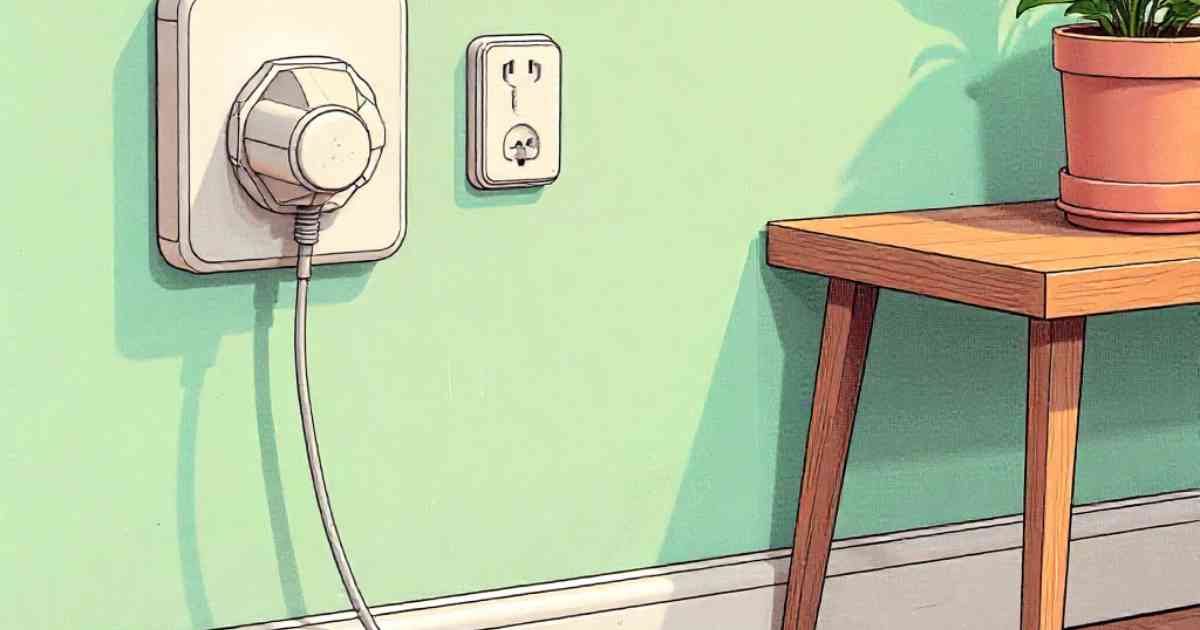
Smart Plugs & Power Strips are essentially intelligent versions of the standard plugs and power strips you use every day.
They plug into your wall outlets and then allow you to plug in your devices. The “smart” part comes from their ability to connect to your home Wi-Fi network and be controlled via a smartphone app, voice assistants like Amazon Alexa or Google Assistant, or even automated schedules.
They provide remote control, energy monitoring, and sometimes even additional features like surge protection.
Smart Plugs: The Basics
A smart plug is a single outlet device. It’s designed to control a single appliance or electronic device. You plug the smart plug into your wall outlet, and then you plug your device, such as a lamp or coffee maker, into the smart plug.
You can then control the device remotely using your smartphone or through voice commands. Smart plugs are often the entry point for anyone wanting to get into home automation. Their simple design and ease of use make them a popular choice.
- Remote Control: You can turn devices on and off from anywhere with an internet connection.
- Scheduling: Set timers to automatically turn devices on and off at specific times.
- Energy Monitoring: Some smart plugs track how much energy a device is using.
- Compatibility: Work with voice assistants like Alexa and Google Assistant for hands-free control.
For example, imagine you are out of town and want to make it look like someone is home. You can program a lamp connected to a smart plug to turn on at dusk and off at bedtime.
This can deter potential burglars. Smart plugs are also super handy for controlling devices you might forget to turn off, like a hair straightener.
Smart Power Strips: Expanding Your Automation
Smart power strips are essentially multi-outlet smart plugs. They offer multiple smart outlets in one device, plus typically include USB charging ports.
Like smart plugs, they connect to your Wi-Fi and can be controlled remotely. They are ideal for areas with multiple devices, like a home entertainment center or a desk with a computer, printer, and other gadgets.
Smart power strips give you more control in a single unit and can manage several devices simultaneously.
- Multiple Outlets: Control multiple devices from a single unit.
- USB Charging Ports: Many offer USB ports for charging phones and other devices.
- Surge Protection: Often include surge protection to protect connected devices from power surges.
- Grouping: Allows you to group outlets together for simultaneous control.
A smart power strip is fantastic for a home office. You can control your computer, monitor, printer, and desk lamp all at once.
This setup can be automated to turn everything off at the end of the day or when you leave the house.
Also, if you have a media center with a TV, gaming console, and sound system, a smart power strip is ideal. You can turn everything off with a single command.
Advantages of Using Smart Plugs and Power Strips
The benefits of using Smart Plugs & Power Strips go beyond convenience. They can save you money, increase your home’s security, and make your daily life easier.
From reducing energy bills to enhancing your peace of mind, there are many reasons to add them to your home.
Energy Savings and Cost Reduction
One of the significant advantages is energy savings. Many devices continue to use power even when turned off (vampire power).
Smart Plugs & Power Strips can cut this waste by completely cutting off power to devices. This can lead to noticeable reductions in your electricity bill over time.
- Eliminate Standby Power: Completely cut off power to devices that consume energy even when off.
- Automated Schedules: Set timers to turn off devices during off-peak hours.
- Energy Monitoring: Track the energy consumption of individual devices to identify energy hogs.
- Reduce Consumption: By using smart plugs for devices that don’t need to be on all the time, you can lower your overall electricity usage.
For example, you could schedule your television and gaming consoles to turn off automatically at midnight.
Many of these devices consume power even when they are “off”. The U.S. Department of Energy estimates that the average household spends between $100 and $200 per year on standby power.
Convenience and Automation
The convenience factor is a significant draw. Imagine controlling your lights, coffee maker, or other appliances with just your voice or a tap on your phone.
Smart Plugs & Power Strips simplify daily routines and provide a level of automation that makes your life easier. This frees up your time, allowing you to focus on other tasks.
- Remote Access: Control devices from anywhere with an internet connection.
- Voice Control: Integrate with voice assistants like Alexa and Google Assistant.
- Custom Schedules: Create personalized schedules for devices based on your needs.
- Seamless Integration: Integrate seamlessly into your existing smart home setup.
Imagine having your coffee maker start brewing at 6:00 AM every morning before you even get out of bed.
Or, picture turning off all the lights in your house with a single voice command as you settle in for the night. This kind of automation is straightforward and adds to your comfort.
Enhanced Safety and Security
Smart plugs and power strips can also improve home security. You can use them to simulate occupancy while you are away, deterring potential intruders.
Furthermore, features like surge protection in some smart power strips protect your valuable electronics from power surges, which can cause damage and data loss. This extra layer of protection brings peace of mind.
- Simulated Occupancy: Schedule lights to turn on and off randomly to make it look like someone is home.
- Surge Protection: Protect expensive electronics from power surges.
- Remote Control: Ensure appliances are turned off, preventing potential hazards.
- Peace of Mind: Knowing you can remotely control and monitor your devices.
Here’s a scenario: You are on vacation, and you want to make your home look occupied. You can schedule lamps connected to smart plugs to turn on in the evening and off in the morning, mimicking your normal routine. This helps to make your home a less attractive target for burglars.
Key Features to Look For
Selecting the right smart plugs and power strips can seem overwhelming due to the many options available.
This section will guide you through the features to look for, ensuring you choose the best devices for your needs. Consider these features to ensure you make the right choice.
Connectivity and Compatibility
Ensure the smart plugs and power strips you select are compatible with your existing smart home setup.
This includes compatibility with your home’s Wi-Fi network and any voice assistants you use. Check for the right standards to ensure a smooth setup experience.
- Wi-Fi Compatibility: Ensure the device supports the Wi-Fi standards used in your home.
- Voice Assistant Support: Verify compatibility with Amazon Alexa, Google Assistant, or other voice assistants you use.
- App Integration: Choose devices with user-friendly and reliable companion apps.
- Smart Home Integration: Look for compatibility with platforms like IFTTT for advanced automation.
For instance, if you use an Amazon Echo, make sure the smart plug or power strip is Alexa-compatible.
This ensures you can control your devices with voice commands. Also, check user reviews of the companion app. Poor app design can render even the best device annoying to use.
Energy Monitoring Capabilities
Energy monitoring is a valuable feature, allowing you to track how much electricity your devices are using.
This information can help you identify energy-hungry appliances and find ways to reduce your energy consumption.
By providing data on energy usage, smart plugs empower you to make informed decisions about your energy habits.
- Real-Time Data: See the current energy usage of connected devices.
- Historical Data: Track energy consumption over time to identify trends.
- Cost Calculation: Some devices can calculate the cost of electricity used.
- Energy Saving Tips: The app may offer suggestions for saving energy based on your usage data.
For example, by monitoring the energy usage of your refrigerator, you can determine if it’s operating efficiently.
If the energy consumption is unexpectedly high, you might consider getting the appliance serviced or replacing it with a more efficient model. This helps you save money and reduce your carbon footprint.
Surge Protection
If you’re buying a smart power strip, surge protection is an essential feature. Surge protection safeguards your electronics from power surges, which can result from lightning strikes or other electrical disturbances. This feature protects your valuable devices, such as computers, televisions, and game consoles.
- Protection Against Power Surges: Safeguards devices from electrical spikes.
- Increased Lifespan: Protects devices from damage, potentially extending their lifespan.
- Data Protection: Reduces the risk of data loss on connected devices.
- Peace of Mind: Knowing your electronics are protected from unexpected power fluctuations.
Imagine a sudden power surge during a thunderstorm. Without surge protection, your devices could be damaged.
With surge protection, the power strip absorbs the excess electricity, protecting your connected devices from harm. This is a must-have feature for any power strip.
Design and Build Quality
The design and build quality of smart plugs and power strips are also important. Look for devices that are well-constructed, with a design that fits your needs and aesthetic.
Consider the size of the device, the number of outlets (for power strips), and the overall durability. These factors determine how well the device will integrate into your home and how long it will last.
- Size and Form Factor: Ensure the device fits your available space and doesn’t obstruct other outlets.
- Durability: Choose devices made from high-quality materials for long-lasting performance.
- Outlet Spacing: Check the spacing between outlets to accommodate larger plugs.
- Aesthetics: Consider the device’s appearance to blend with your home décor.
Suppose you plan to use a smart plug behind a couch. In that case, you’ll need a compact design that doesn’t stick out and cause a tripping hazard.
For a smart power strip, you might prefer a flat design to place it under a desk or entertainment center.
Setting Up and Using Smart Plugs and Power Strips
Setting up and using Smart Plugs & Power Strips is typically simple. This section will guide you through the setup process and show you how to start automating your home. With a few simple steps, you can start enjoying the convenience and benefits of these devices.
Installation Process
The installation process typically involves plugging the smart plug or power strip into a wall outlet and connecting it to your home Wi-Fi network using the companion app.
This process is usually straightforward, with clear instructions provided by the manufacturer. Follow these steps to ensure a smooth setup.
- Download the App: Download the companion app from the App Store or Google Play Store.
- Create an Account: Create an account or log in to your existing account within the app.
- Add the Device: Follow the app’s instructions to add your smart plug or power strip.
- Connect to Wi-Fi: Connect the device to your home Wi-Fi network.
After downloading the app, open it and follow the on-screen instructions. The app will usually guide you through the process of connecting the device to your Wi-Fi network and setting up your account. The setup takes just a few minutes, making it easy to get started.
Using the App
The companion app is your primary tool for controlling and managing your smart plugs and power strips.
The app lets you turn devices on and off, set schedules, and monitor energy usage. The app’s user interface is designed to be intuitive and easy to use, even for those who are new to smart home technology.
- Remote Control: Turn devices on and off from the app.
- Scheduling: Set schedules for devices to automatically turn on and off.
- Energy Monitoring: View energy usage data for connected devices.
- Customization: Customize settings and preferences to suit your needs.
The app will display all of your connected devices. By tapping on a device, you can control it remotely, view its energy usage, and adjust its settings.
You can also create custom schedules to automate tasks. With the app, you have complete control over your connected devices.
Voice Control Integration
Integrating with voice assistants like Amazon Alexa and Google Assistant allows for hands-free control of your smart plugs and power strips.
Once the devices are set up and linked to your voice assistant, you can control your devices using voice commands. This adds another layer of convenience, letting you manage your devices with just your voice.
- Link Your Account: Link your smart plug or power strip account to your voice assistant account.
- Discover Devices: Have your voice assistant discover and recognize your smart devices.
- Use Voice Commands: Use voice commands to turn devices on and off and adjust settings.
- Create Routines: Set up routines for automated control, such as “Good night” to turn off all lights.
Once linked, you can use voice commands like, “Alexa, turn on the living room lamp” or “Hey Google, turn off the coffee maker.”
You can also create routines, such as a morning routine that turns on lights and starts your coffee maker with a single command.
Energy-Saving Strategies
Using Smart Plugs & Power Strips to save energy is a smart move. These devices give you powerful tools to reduce your energy consumption and lower your electricity bills.
You’ll not only save money but also reduce your environmental impact. These strategies will help you use energy more efficiently.
Identifying Energy Hogs
The first step to saving energy is identifying devices that consume a lot of power. This can be done by using the energy monitoring feature in your smart plugs or power strips.
By tracking the energy usage of individual devices, you can pinpoint the appliances that are using the most electricity, even when not in use.
- Monitor Device Usage: Track the energy consumption of your devices over time.
- Identify Standby Power Drain: Discover which devices consume power when turned off.
- Compare Usage: Compare the energy consumption of different appliances.
- Analyze Data: Use the data to identify areas for improvement and energy savings.
For example, you might discover that your old refrigerator is using a lot of energy. Knowing this, you can consider replacing it with a more energy-efficient model.
Another device could be your home entertainment system, with the TV, gaming console, and sound system, consuming a lot of energy even when in standby mode.
Creating Automated Schedules
Automated schedules are a powerful energy-saving tool. You can use schedules to turn off devices when you don’t need them.
This can be as simple as scheduling your lights to turn off at bedtime or turning off your electronics when you leave the house.
Automated schedules ensure that devices are only using energy when necessary, leading to significant savings.
- Set Timers: Set timers to turn off devices automatically.
- Automate Routines: Create routines to control multiple devices at once.
- Optimize Usage: Ensure devices are only used during peak times.
- Reduce Waste: Minimize energy consumption by automating device control.
For instance, you could set up a schedule to turn off your TV, gaming console, and sound system at midnight every night.
Also, you could use a smart plug to automate the operation of your water heater, turning it on only during the hours you need hot water. This will help reduce your electricity usage.
Using Smart Plugs for Seasonal Adjustments
Smart plugs can also be useful for seasonal energy management. In the summer, you can use smart plugs to control fans or air conditioners, turning them off when you’re not home or during cooler parts of the day.
In the winter, you can use them to control space heaters or decorative lights, automating their operation based on the time of day and your needs. Seasonal adjustments can provide significant energy savings.
- Control Heating and Cooling: Automate the operation of fans, air conditioners, and space heaters.
- Manage Lighting: Control decorative lights to minimize energy use.
- Adjust Schedules: Adapt your schedules to match the season’s changing needs.
- Maximize Efficiency: Ensure devices are only used when needed, reducing wasted energy.
During the summer, you can use a smart plug to control a window air conditioner, turning it on only when you are in the room. In winter, you could schedule a space heater to turn on a few minutes before you wake up in the morning to keep the room cozy. These simple adjustments can save a lot of energy throughout the year.
Troubleshooting Common Issues
While Smart Plugs & Power Strips are generally reliable, you might encounter some issues. This section will guide you through common problems and provide solutions to help you get your devices working smoothly. Troubleshoot these problems and enjoy your home automation experience.
Connectivity Problems
Connectivity issues are common with any smart device. These issues can prevent you from controlling your devices remotely.
Troubleshooting these problems includes verifying your Wi-Fi connection, restarting your router, and ensuring your smart plug is within range. Here are ways to diagnose the situation.
- Check Wi-Fi Connection: Ensure your Wi-Fi network is working and that your smart plug is connected.
- Restart Your Router: Restart your router to resolve connection issues.
- Check Device Range: Make sure the smart plug is within range of your Wi-Fi router.
- Update Firmware: Ensure the smart plug has the latest firmware updates.
If you’re having trouble connecting, start by verifying that your Wi-Fi network is working and that other devices can connect.
If that works, restart your router. If your smart plug is too far from your router, move it closer. Finally, check for firmware updates for the plug to see if that resolves the issue.
App Troubleshooting
Sometimes, the companion app itself can cause problems. If you have trouble with your app, try closing and reopening it, or check for the latest version. Clearing the app’s cache or reinstalling it might also resolve issues. Here’s a quick guide to try.
- Restart the App: Close and reopen the app.
- Check for Updates: Ensure you are using the latest version of the app.
- Clear Cache: Clear the app’s cache to resolve data corruption.
- Reinstall the App: Reinstalling the app may solve issues.
If your app is not working correctly, close and reopen it. Next, check the app store for any available updates and install them.
If that doesn’t solve the problem, try clearing the app’s cache in your phone’s settings. If none of those work, delete and reinstall the app. Usually, one of these steps resolves the issue.
Device Resetting
If other troubleshooting steps don’t work, resetting your smart plug or power strip is usually an option.
This process restores the device to its factory settings. Each device has a specific way to reset, so you should check the device’s manual. This will ensure you can start fresh.
- Check the Manual: Consult your device’s manual for specific reset instructions.
- Press and Hold the Reset Button: Typically, you’ll press and hold a reset button on the device.
- Follow App Instructions: Some apps provide reset options.
- Reconnect to Wi-Fi: After resetting, reconnect the device to your Wi-Fi network.
The reset process varies by device, so consult the manual for the specific procedure. You’ll typically need to press and hold a reset button on the device.
After the reset, you’ll need to reconnect the device to your Wi-Fi network and set up the device again using the app. This is usually the last step.
FAQ Of Smart Plugs & Power Strips
Can I control multiple devices with one smart plug?
A: No, a single smart plug is designed to control only one device at a time. If you need to control multiple devices, you should use a smart power strip.
Do smart plugs work with all appliances?
A: Most appliances work with smart plugs, but some high-powered devices, like air conditioners or heaters, might require a smart plug with a higher wattage rating.
Can smart plugs be used outdoors?
A: Some smart plugs are specifically designed for outdoor use and are weather-resistant. Check the product specifications.
Do smart plugs use a lot of electricity?
A: Smart plugs themselves use a small amount of electricity, typically less than 1 watt. The primary energy savings come from controlling the appliances plugged into them.
Are smart plugs safe?
A: Yes, smart plugs are generally safe. However, ensure you purchase plugs from reputable brands and follow safety guidelines. Also, be sure to use plugs that are UL-listed.
Final Thoughts
Smart plugs and power strips are a straightforward and practical way to modernize your home, increase convenience, and conserve energy.
They let you automate your devices, control them from anywhere, and get detailed information on how much energy your devices are consuming.
From energy savings to added security, these devices offer several advantages. The market offers a variety of choices to suit your needs, ranging from single smart plugs to multi-outlet smart power strips.
With just a few simple steps, you can set up these devices and start enjoying their benefits. Now, begin your smart home journey and automate your home with these useful gadgets today!
![10 Smart Plugs & Power Strip Automations to Simplify Your Life[1]](https://gigasecurehome.com/wp-content/uploads/2025/10/10_Smart_Plugs__Power_Strip_Automations_to_Simplify_Your_Life1-768x448.jpg)
![How To Protect Outdoor Spaces In Rural Homes[1]](https://gigasecurehome.com/wp-content/uploads/2025/11/How_To_Protect_Outdoor_Spaces_In_Rural_Homes1-768x448.jpg)