
10 Automation Ideas for Multi-Room Audio & Sound Zoning Solutions
Imagine this: You’re hosting a party, and the music is playing perfectly in the living room, but when you step into the kitchen, silence. Or worse, the music is blaring at different volumes in each room!
This is where the power of multi-room audio and sound zoning comes in. This blog post will explore how you can automate your audio system to create a seamless listening experience throughout your home.
You’ll gain a solid plan for easy setups. By the end, you’ll know exactly how to manage your 10 Automation Ideas for Multi-Room Audio & Sound Zoning to have the perfect sound.
Key Takeaways
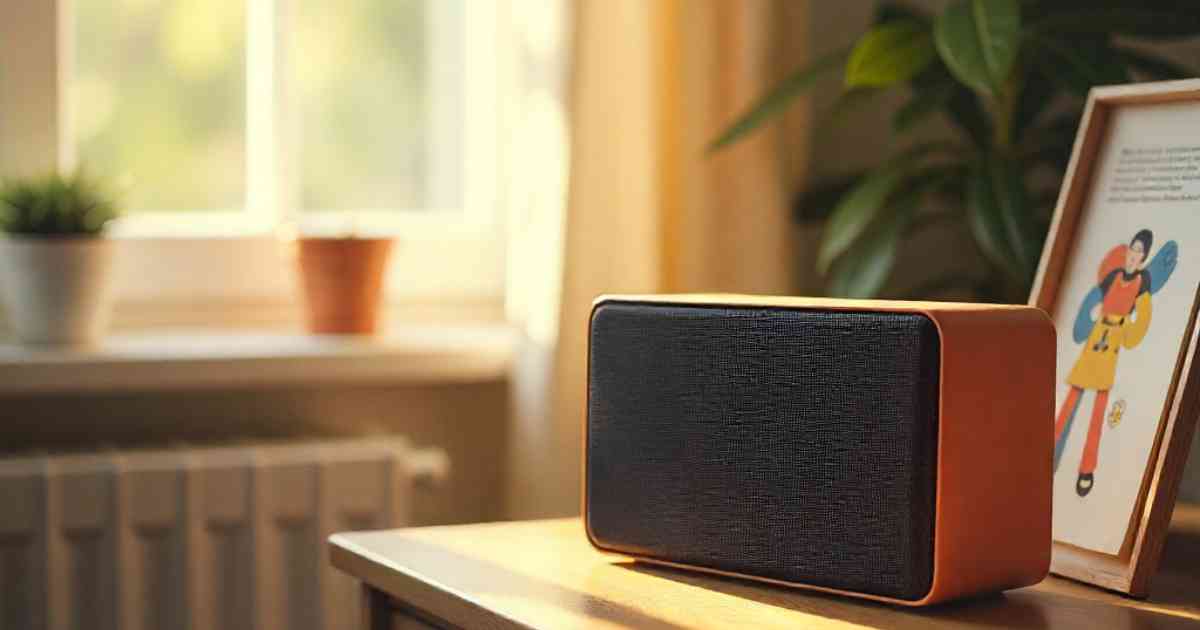
The 10 Automation Ideas for Multi-Room Audio & Sound Zoning
Setting up an amazing home audio system seems complicated, but with automation, you can transform your home into a personalized listening experience.
We’ll explore ten easy ideas to get you started, covering everything from simple setups to advanced features.
With these ideas, you can easily control music, podcasts, and more, all from a central location or your smartphone.
Whether you’re a tech pro or just starting out, these ideas will show you how to set up the perfect sound in your home.
1. Automated Music Playback Based on Room Occupancy
1. Item Title
Imagine the music automatically starting when you enter a room. This can be achieved using occupancy sensors that detect movement.
When someone enters a room, the system triggers the audio zone for that space. The music selection can be a pre-set playlist or a streaming service.
Think of it as having your own personal DJ always ready to go. You can set the system to pause the music if no one is in the room after a period. This is an awesome way to save energy and only use the audio when needed.
Motion Sensors Explained
- These devices use different technologies, such as infrared (heat detection) and ultrasonic (sound waves), to sense movement.
- They are positioned in strategic locations to accurately detect when someone enters or leaves an area.
- Sensors link with your central audio system.
Example:
In a home with a home office, a motion sensor would automatically start the “Focus” playlist when someone enters the room during work hours. You can even set it to adjust the volume based on the time of day.
2. Scheduled Playlists for Different Times and Activities
2. Item Title
Imagine having your favorite music ready to play at a particular time of day. Automate your audio system to play specific playlists or radio stations at different times, perfectly matching your daily routine.
Program a gentle playlist for mornings, a high-energy playlist for workouts, and relaxing music for evenings. It’s like having your audio system run on autopilot, setting the mood for every moment.
Scheduling Basics
- Most audio systems support scheduling features through their app or a central control panel.
- You can set start and end times, select playlists, and control the volume.
- Advanced systems let you create complex schedules that adapt to holidays, vacations, or special events.
Sample Scenario
- 7:00 AM: A “Wake-Up” playlist starts softly in the bedroom.
- 6:00 PM: The “Dinner” playlist starts in the dining area.
- 9:00 PM: Relaxing music plays in the living room.
3. Voice Control Integration for Seamless Audio Experience
3. Item Title
Picture this: You’re in the kitchen, preparing dinner, and you say, “Alexa, play jazz in the kitchen.” Your audio system responds immediately.
Integrating voice control with your audio system gives you complete control over your music. You can use voice commands to control playback, volume, and switch between audio zones.
This is all about convenience and hands-free control. This idea is about integrating with smart assistants such as Amazon Alexa, Google Assistant, or Apple Siri.
Voice Control Steps
- Choose a smart speaker or hub compatible with your audio system.
- Connect your audio system to the smart assistant through its app.
- Train the system to recognize your voice commands for music.
Example
You can say, “Hey Google, play the ‘Workout’ playlist in the gym,” and the music starts immediately, ready for your workout.
4. Automated Volume Adjustment Based on Time of Day
4. Item Title
Keep in mind the volume levels throughout the day: a loud concert at 7:00 AM might not be ideal. The system can be set to adjust the volume automatically based on the time of day.
For example, the volume could increase during the daytime when you’re awake and reduce in the evening.
This eliminates the need to constantly adjust the volume and ensures that your audio experience is perfect at every moment. You can even set different volume levels for different zones.
Volume Adjustment Options
- Configure volume levels for specific times of the day through your audio system’s settings.
- You can set different volume presets for each audio zone.
- The system can smoothly increase or decrease the volume over time.
Statistic
Studies show that proper volume levels can reduce noise pollution. You can also minimize annoyance to neighbors and family members, and the health benefits of maintaining volume levels for audio listening.
5. Integration With Smart Home Lighting
5. Item Title
Take your audio experience to the next level by linking your system to your smart home lighting. You can set the lighting and music to work together, creating a fully immersive environment.
Dim the lights and start playing your favorite playlist for a relaxing evening. Synchronize your lights and audio for a party, where the lights flash with the music. This integration is perfect for creating a total home entertainment experience.
Integration Tips
- Connect your lighting system and audio system using a smart home hub.
- Use automation rules to trigger lighting changes when the music starts.
- Experiment with different lighting scenes to complement your music selections.
Sample Scenario
- “Movie Night” mode: Dim the lights in the living room, lower the volume, and start playing a movie soundtrack.
- “Party” mode: Set the lights to flash in sync with the music in the entertainment area.
- “Relaxation” mode: Dim the lights and play calming music in the bedroom.
6. Customized Audio Zones for Family Members
6. Item Title
If you live with your family, it’s perfect to create audio zones that everyone can enjoy. Each family member can have their preferred music playing in their space.
Assign specific audio zones to individual members. Kids can listen to their music in their rooms, while adults can play their favorite music in the living room or kitchen.
You can set up profiles on your audio system for each person. This way, the system remembers their preferred playlists, volume settings, and even speaker preferences.
Zone Customization
- Easily create zones with the app.
- Assign specific audio sources to each zone.
- Customize the volume and equalization settings for each zone.
Real-life Example
In a home with a home office, a motion sensor would automatically start the “Focus” playlist when someone enters the room during work hours. You can even set it to adjust the volume based on the time of day.
7. Automatic Audio Source Switching
7. Item Title
Don’t stick with the same old music sources. Imagine your system automatically switching to a different audio source based on the time of day or the activity.
Switch to the news in the morning and a podcast during your commute. Then, when you get home, switch back to music.
You can also prioritize different sources depending on the zone. For example, in the kitchen, you might want to switch to a radio station for news updates.
Source Selection
- Set up rules in your smart home control panel to switch between audio sources.
- Choose from streaming services, local music, radio, and other connected devices.
- Prioritize specific sources for different times, rooms, or events.
Example
The system could switch to the local weather report every morning, and then automatically switch to a relaxing playlist in the evening.
8. Weather-Based Audio Adjustments
8. Item Title
Weather can affect your mood, and your music should respond to it. Connect your audio system to a weather service, and your audio will change based on the weather outside.
For example, your system could suggest upbeat music on sunny days. Play more relaxing music on rainy days.
You could also get weather updates read aloud when the weather changes outside. This is a subtle yet effective way to improve your audio experience.
Weather Integration Steps
- Connect to a weather service through your system’s app or smart home hub.
- Set rules to change your audio based on conditions (temperature, rain, etc.).
- You can customize playlists or radio stations to suit different weather scenarios.
Insert a comparison chart here
Compare the features and pros and cons of different weather services to make an informed selection. Include factors like accuracy, data updates, and integration.
9. Remote Control and Mobile App Control
9. Item Title
A simple remote control will let you manage your audio system from any place. This automation idea makes it possible to use your smartphone or tablet to control your audio system remotely.
Many systems provide mobile apps that offer full control over your audio zones, including volume control and source selection.
You can easily start, stop, or change music from anywhere in your house or even outside. This feature lets you personalize your audio experience.
App Control Highlights
- Many apps have user-friendly interfaces, making control easy.
- Set up custom audio zones.
- Select and play music from your smart device.
Real-life Example
If you’re hosting a party, you can control the music and volume from your phone. You can create the perfect sound, no matter where you are in your home.
10. Automated System Updates and Maintenance
10. Item Title
Automation isn’t just about music; it also covers the care of your system. It’s important to set up automatic updates to keep your audio system running smoothly.
These updates often include performance improvements, bug fixes, and security patches. Schedule regular maintenance tasks to ensure your system continues to work well.
You could have your system check its own settings. This is a smart idea for keeping your system in great shape without you having to do it.
Maintenance and Updates
- Set up automatic software updates for your audio system to be current.
- If there are any errors or issues, they are handled without you having to do anything.
- Schedule regular check-ups to make sure that the system is running correctly.
FAQ Of 10 Automation Ideas for Multi-Room Audio & Sound Zoning Solutions
What is multi-room audio?
A: Multi-room audio is a sound system that lets you play music in multiple areas of your home simultaneously. You can play the same music everywhere or customize each zone to play different music.
How do I set up a multi-room audio system?
A: You’ll need a central control unit or hub, speakers for each zone, and a way to connect them, such as Wi-Fi or wired connections. Also, you will need a smart device like a tablet or phone.
What are the benefits of automating my audio system?
A: Automation provides hands-free control, music personalization, and flexibility. You can create preset playlists for certain moods or times of the day.
Can I integrate my audio system with other smart home devices?
A: Yes, most multi-room audio systems integrate with smart home platforms, letting you control lighting, temperature, and other devices.
How do I choose the best audio system for my home?
A: Choose a system based on your needs, budget, and desired features. Think about your home’s size, your listening habits, and what sources you like to use.
Final Thoughts
Automating your home’s audio system offers a simple way to improve your lifestyle. With the right configuration, you can transform the way you listen to music.
The 10 Automation Ideas for Multi-Room Audio & Sound Zoning include occupancy-based playback, scheduled playlists, and voice control.
These solutions allow full audio control and enable integration with other smart home features. Remember that the perfect setup matches your personal listening needs. Explore different options to find the ideal sound environment.
![Budget Friendly Ways To Start Home Automation[1]](https://gigasecurehome.com/wp-content/uploads/2026/01/Budget-Friendly_Ways_To_Start_Home_Automation1-768x448.jpg)
![Why Smart Home Devices Keep Disconnecting From Wifi[1]](https://gigasecurehome.com/wp-content/uploads/2026/01/Why_Smart_Home_Devices_Keep_Disconnecting_From_Wifi1-768x448.jpg)
![Select 10 Automation Setups for Hybrid Work and Remote Living Success 10 Automation Setups for Hybrid Work and Remote Living Success[1]](https://gigasecurehome.com/wp-content/uploads/2025/10/Select_10_Automation_Setups_for_Hybrid_Work_and_Remote_Living_Success__10_Automation_Setups_for_Hybrid_Work_and_Remote_Living_Success1-768x448.jpg)


![How To Fix Smart Home Lag And Delays[1]](https://gigasecurehome.com/wp-content/uploads/2026/01/How_To_Fix_Smart_Home_Lag_And_Delays1-768x448.jpg)